Engineer App guides
Engineer App · Your account
Your daily work record
Last updated 24 Aug 2026
Every day you complete work through the engineer app, DoorTRACE sends you your own record of it the following morning. The email links to a personal daily record page listing every form from that day, each with its own PDF download, and the link never expires. This guide covers what the email contains, how the record page works, which forms are included, and when you will not receive one.
The daily record email
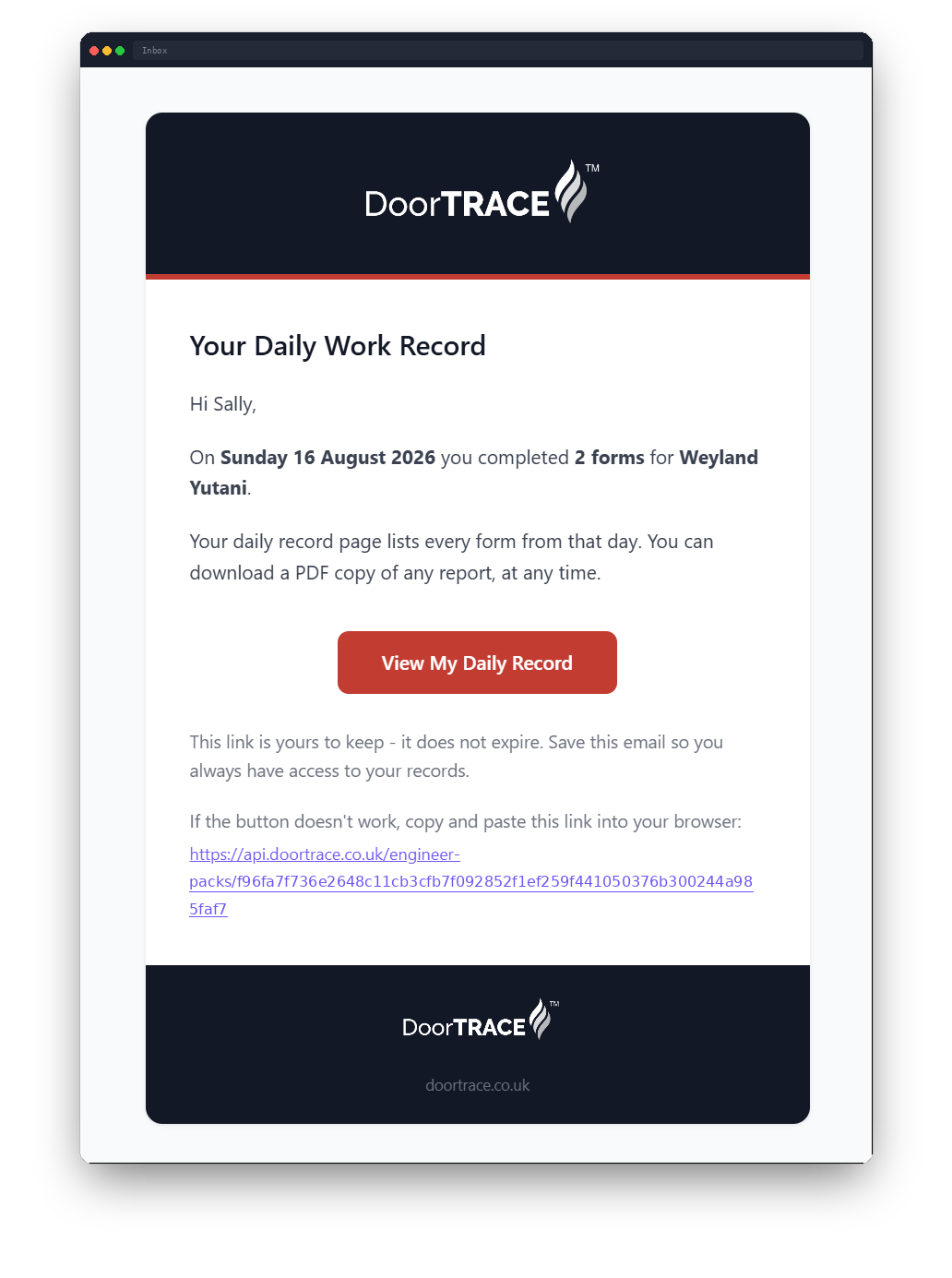
Early the morning after you complete any forms (5am UTC, so 5am or 6am UK time depending on the season), you will get an email from notifications@doortrace.co.uk titled "Your daily work record - [company name] - [date]". It confirms how many forms you completed for that company on that day, and the View My Daily Record button opens your record page. If the button does not work, the same link is written out at the bottom of the email to copy and paste.
If you completed forms for more than one company on the same day, you will get a separate email for each, with its own record page covering just the work for that company.
Important: save the email. The link is yours to keep and does not expire, and it carries on working even if you later stop working with that company.
Your daily record page
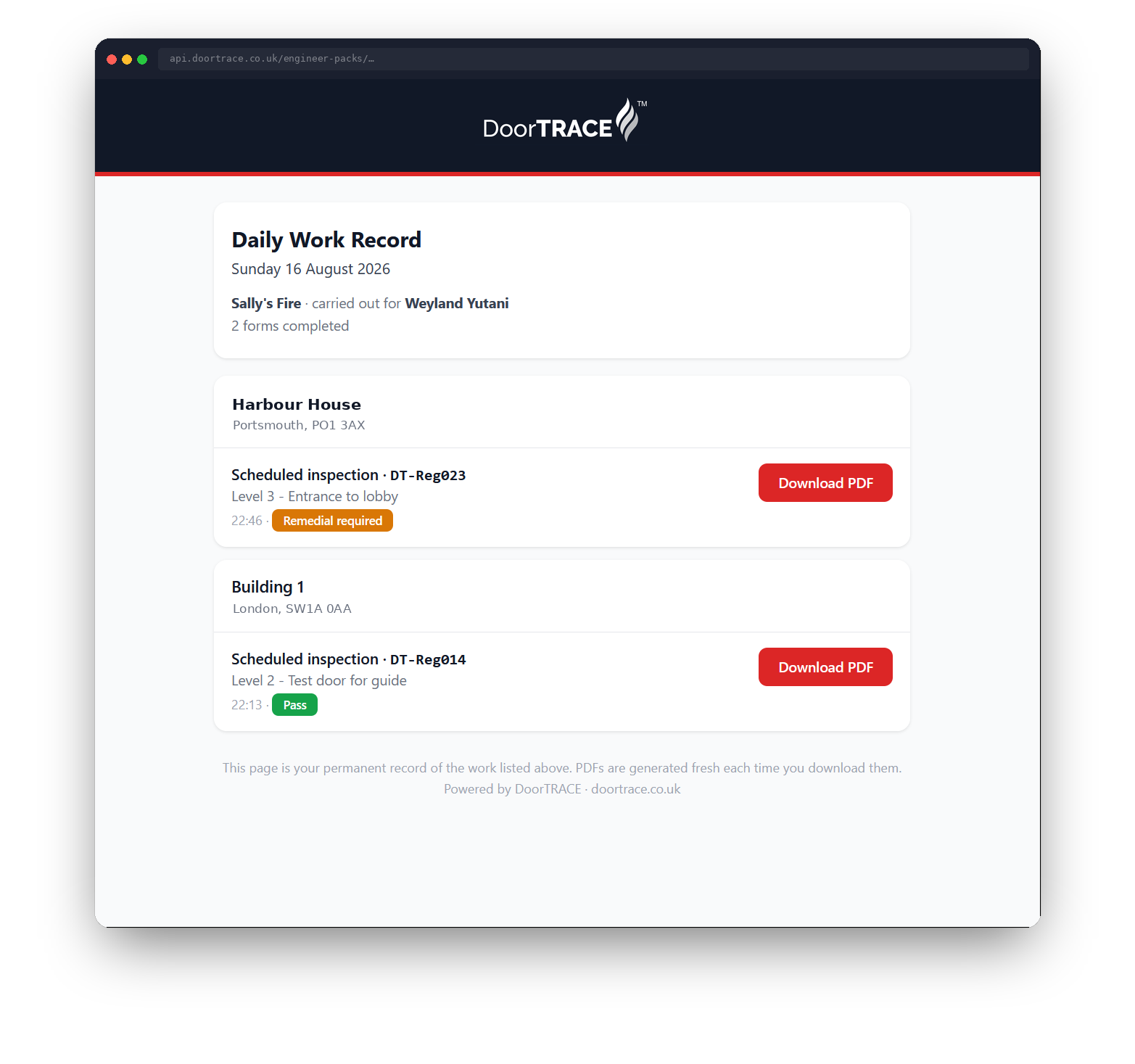
The link opens in your browser and needs no sign-in. At the top you will see the date, your company name (or your own name if no company name is on file), the company the work was carried out for, and the number of forms completed. Below that, your forms are grouped by building, with the building's town and postcode shown under its name.
Each entry shows the form type and the door's code, the floor and location of the door, the time you completed it (UK time), and an outcome badge: green Pass, red Fail, amber Remedial required, or Registered for door registrations. The page reads live data, so it always reflects the record as it stands.
Downloading your report PDFs
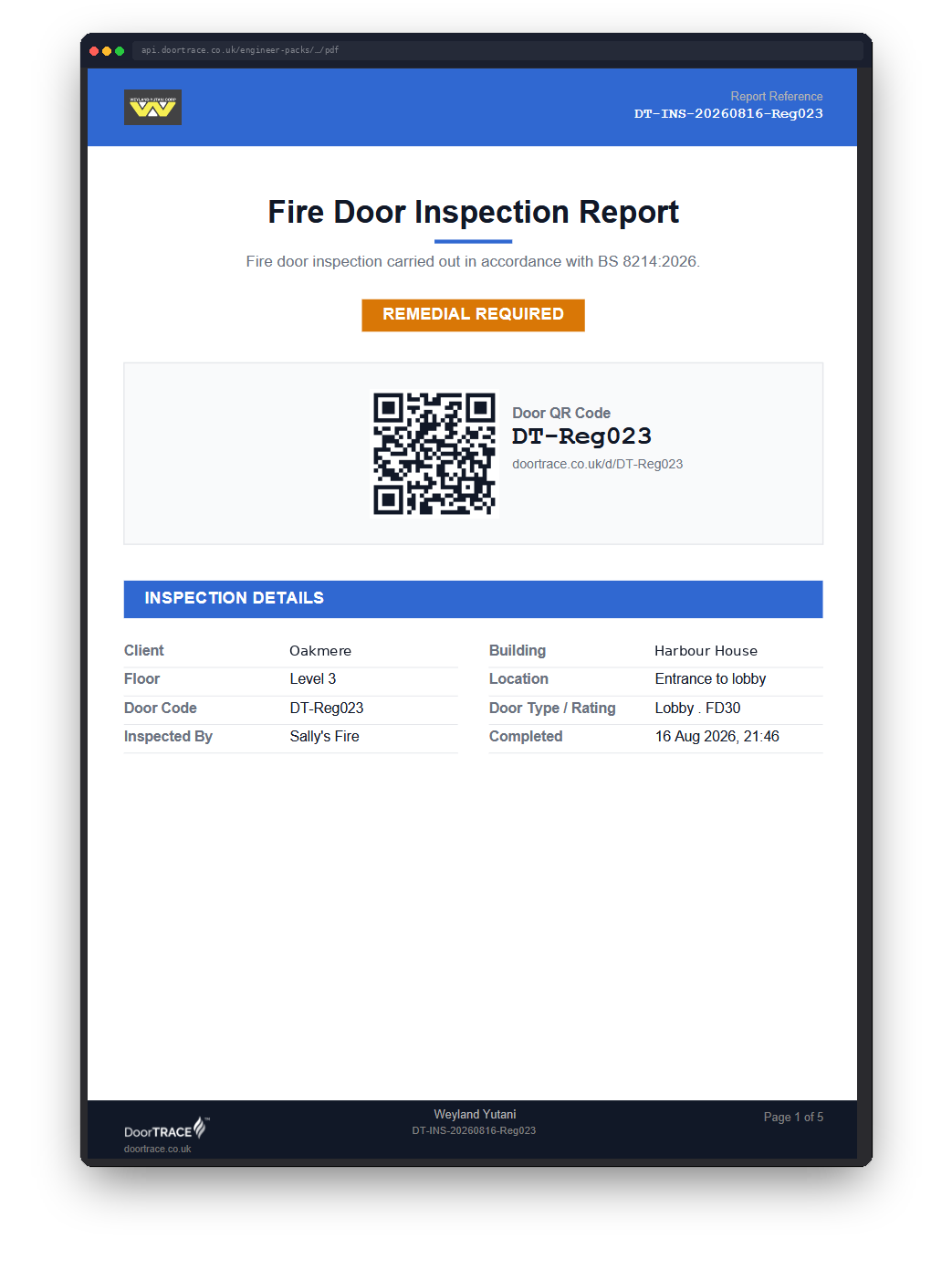
Every entry has its own Download PDF button, which opens the full report for that form in a new tab. If you work to the BM TRADA Q-Mark scheme, your surveys download as the official Q-Mark form (DCS 058) - see Your inspection scheme for how schemes work. Reports are generated fresh each time you download them, so there is no copy that can be lost or go stale, and you can come back for any PDF whenever you need it: for your own records, an audit, or evidence of work done. There is no limit on downloads and no time window.
Which forms are included
Your daily record counts every form you completed that day: door registrations, initial surveys, quarterly, annual, scheduled and ad hoc inspections, and remedial work forms. QR tag replacements are recorded on the door's history but are not forms, so they do not appear in your daily record, and a day of only tag replacements will not trigger an email.
When you will not get an email
No completed forms means no email: the record is only sent for days you actually submitted work. Daily record emails also only go to independent engineers. Engineers whose company runs DoorTRACE do not receive them, as their company holds those records directly.
If something looks wrong
If the link shows a Record Not Found page, the address is incomplete: check that the whole link copied over from the email. If the page opens but says no forms are recorded for the day, or an entry you expected is missing, contact the company you carried the work out for.
What's next
Your daily record is your copy of the work you have done. To keep yourself eligible for that work in the first place, Certifications and insurance documents covers how your documents are tracked and what to do before they expire.
Still can't find the answer?
Send us a message and we'll help. We respond within one working day.