Engineer App guides
Engineer App · Your account
Your inspection scheme
Last updated 24 Aug 2026
Your inspection scheme decides which survey form the app gives you when you inspect a door. Most engineers use the DoorTRACE Standard checklist, but engineers certified under the BM TRADA Q-Mark Fire Door Maintenance Scheme can switch the app to the official Q-Mark survey. This guide covers what each scheme means, how to switch, and what changes when you do.
The two schemes
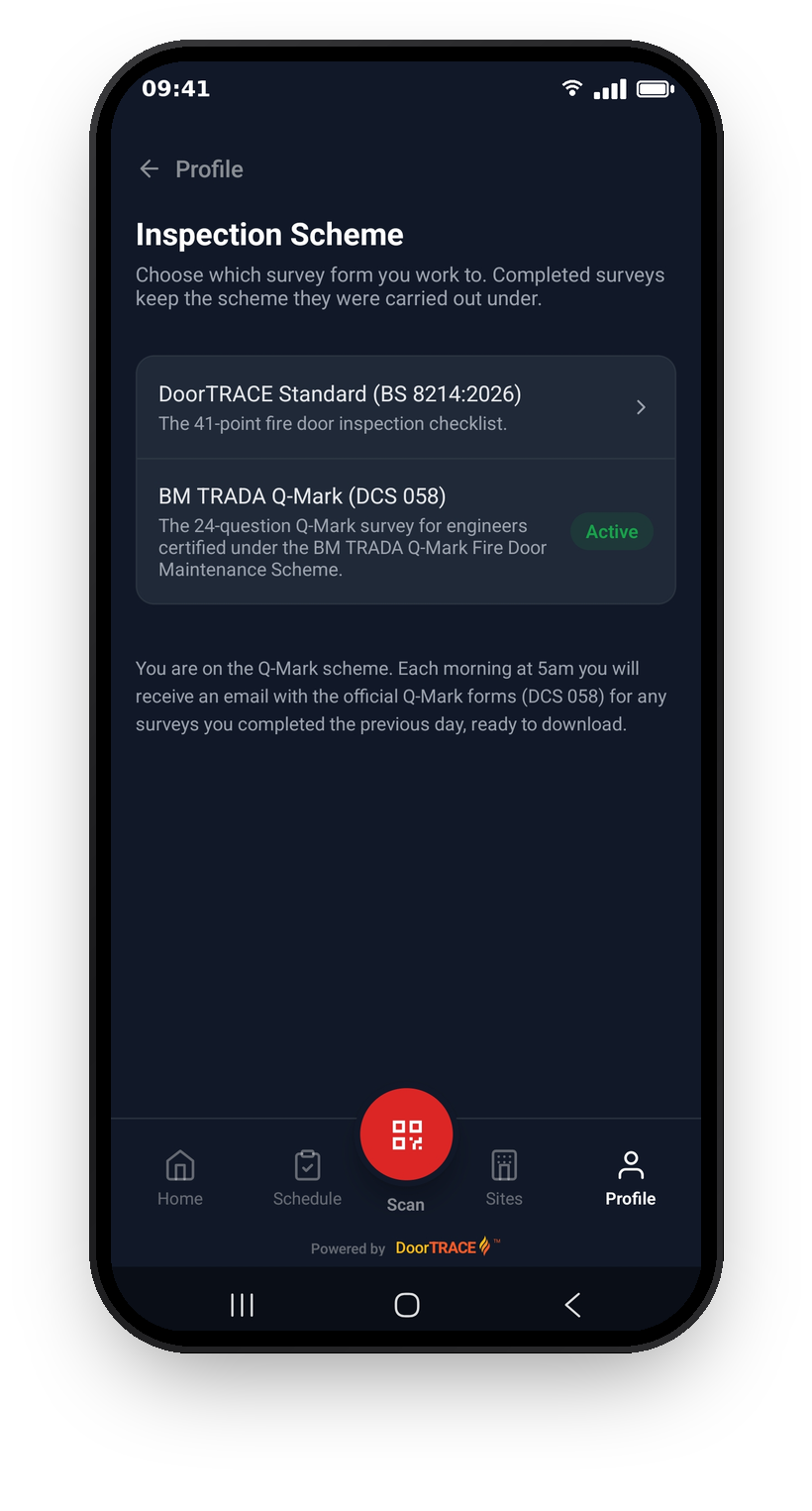
DoorTRACE Standard (BS 8214:2026) is the 41-point fire door inspection checklist. This is the default for every engineer.
BM TRADA Q-Mark (DCS 058) is the 24-question Q-Mark survey for engineers certified under the BM TRADA Q-Mark Fire Door Maintenance Scheme. It captures everything the scheme's paperwork requires, including gap measurements, ART repair codes for any accepted repairs, and the grade level, supporting evidence, and RMA register reference at sign-off.
Your scheme applies to the surveys you carry out when inspecting a door: initial and routine inspections. It does not change how you register doors, complete remedial work, or replace QR tags.
Where to find the setting
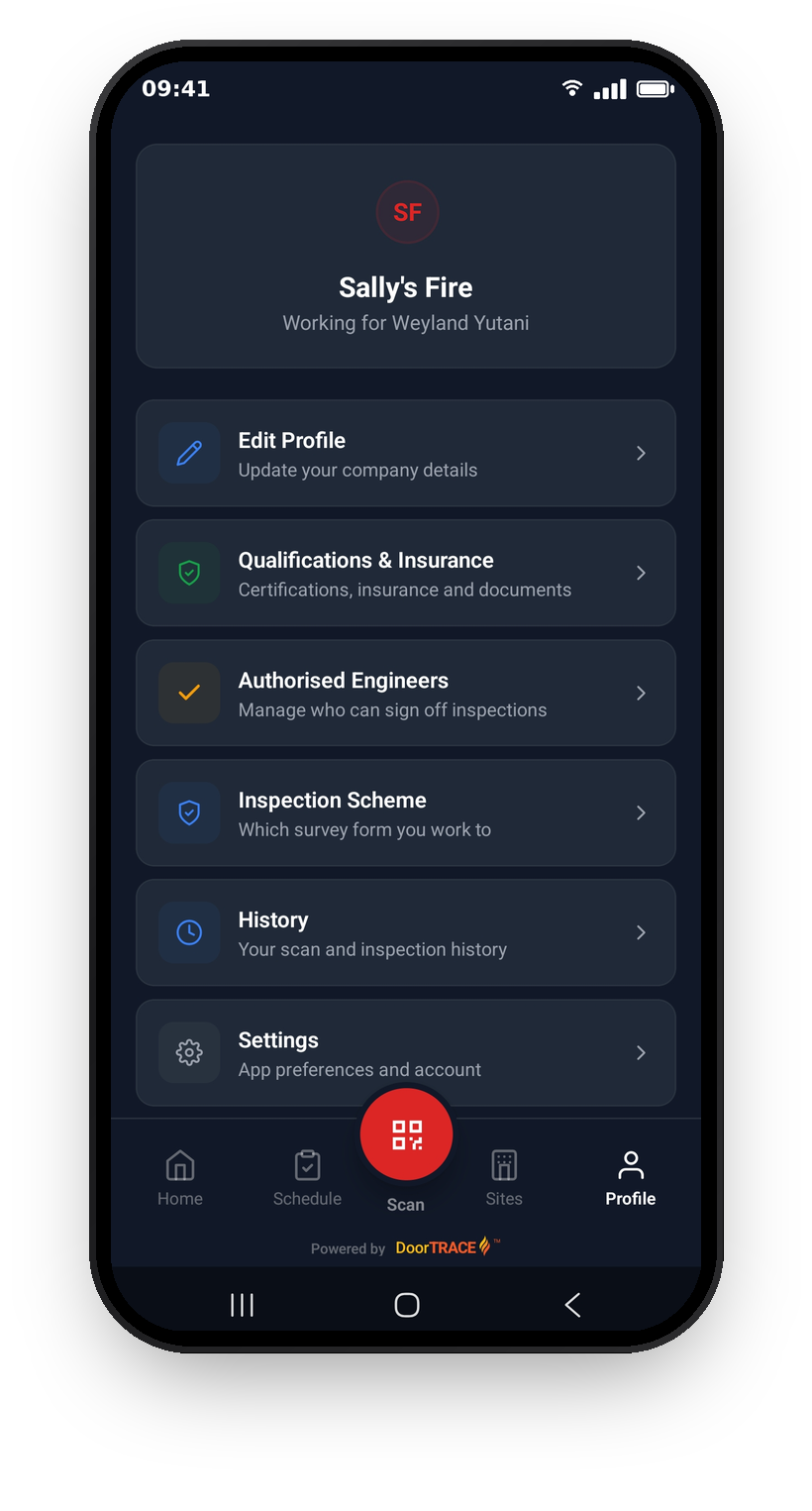
Open the Profile tab and tap Inspection Scheme (labelled "Which survey form you work to"). The screen lists both schemes with a green Active badge on the one you are currently working to.
Switching scheme
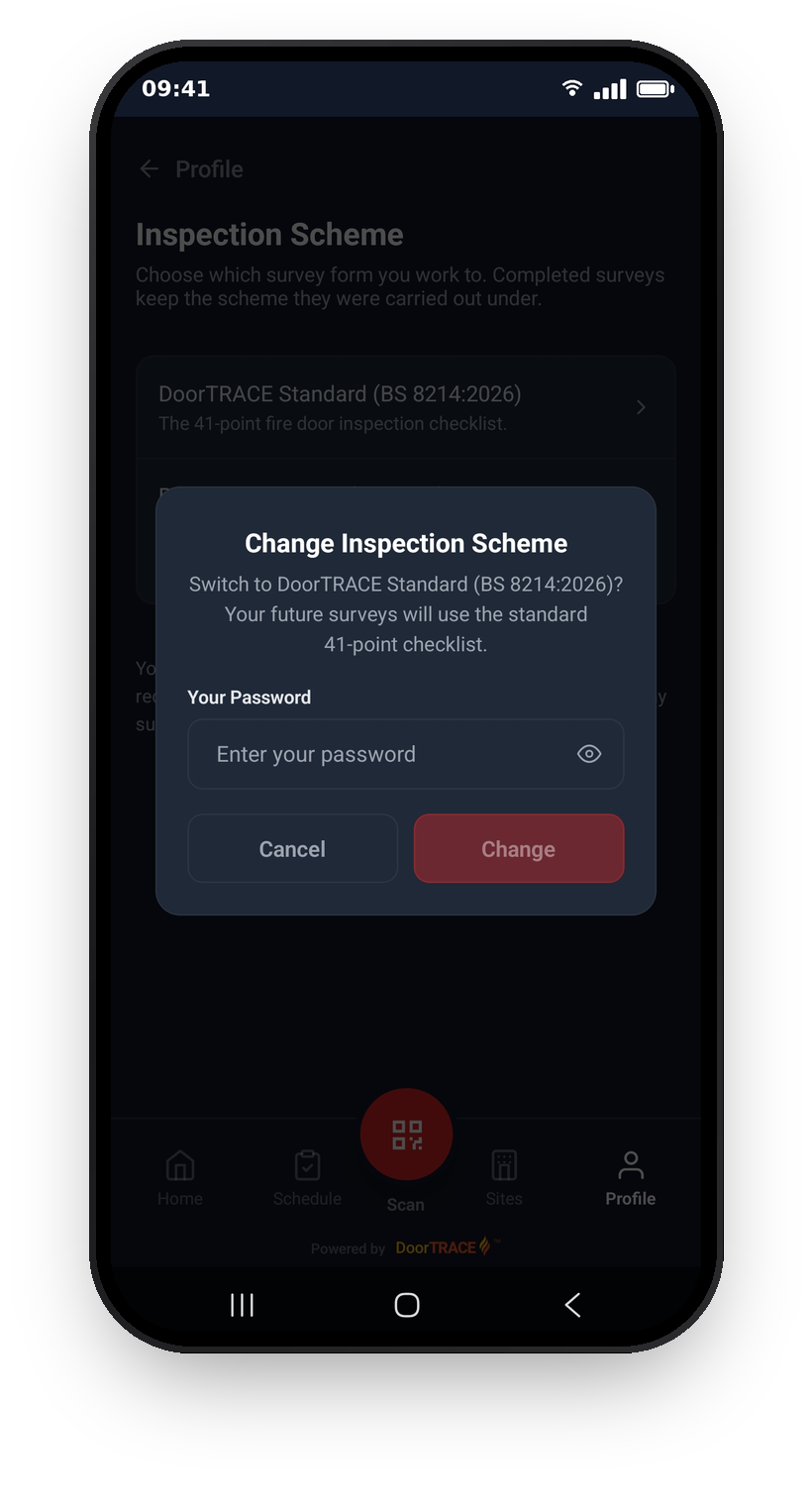
Tap the scheme you want to switch to. To prevent an accidental change, the app asks you to confirm with your account password before anything happens. Enter your password and tap Change. If the password is wrong, nothing changes and you can try again.
Once confirmed, the switch takes effect straight away: the app refreshes its data in the background, and the very next survey you start uses the new form. There is nothing else to set up.
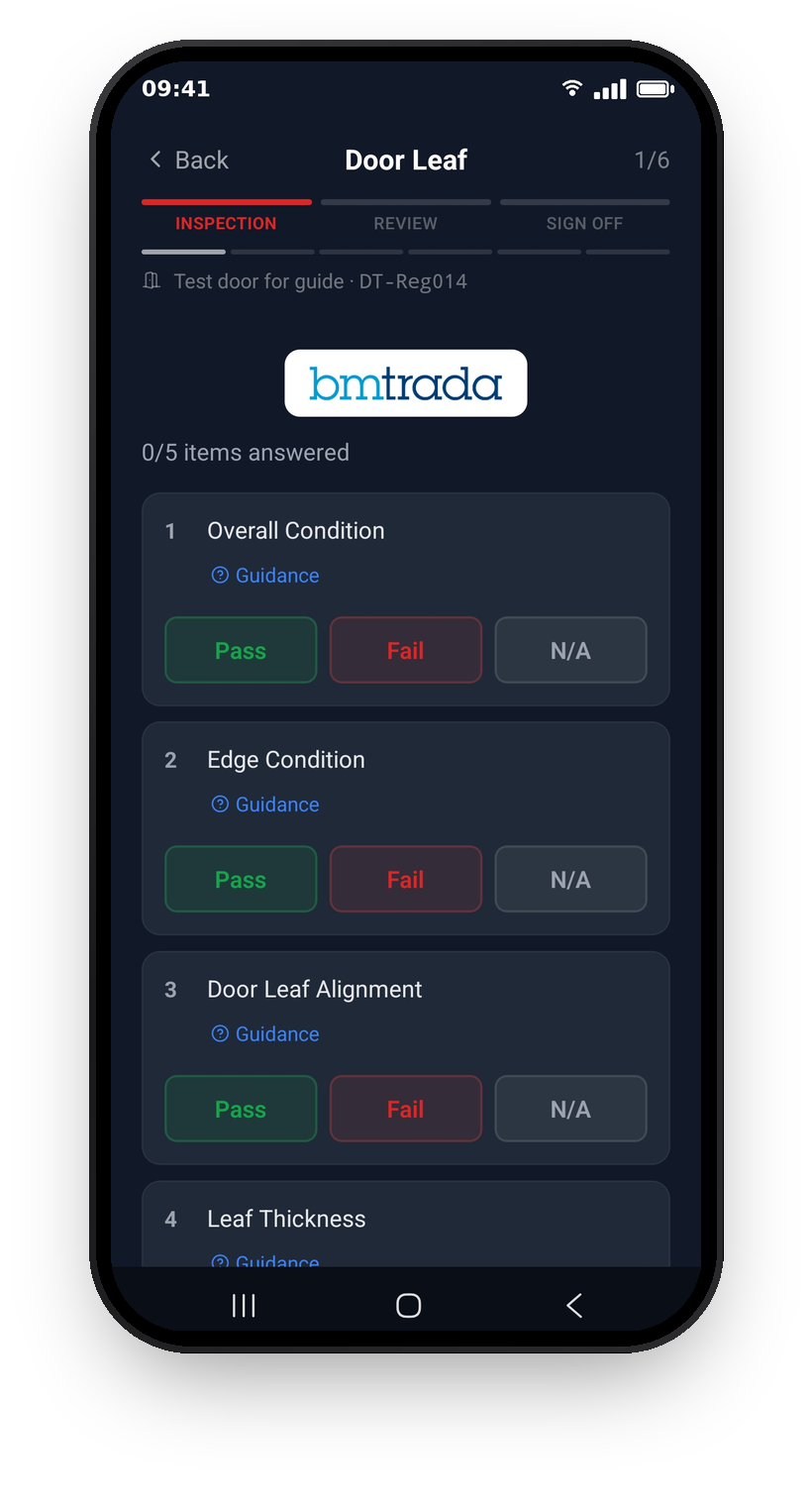
You can always tell which form you are working to. On the Q-Mark scheme, the BM TRADA logo appears at the top of every question page of the survey, so there is never any doubt about which standard a survey is being carried out under. Standard surveys carry no scheme mark.
Important: completed surveys keep the scheme they were carried out under. Switching only affects the surveys you do from now on; nothing in your history changes.
Your Q-Mark forms by email
While you are on the Q-Mark scheme, every survey you complete produces the official Q-Mark form (DCS 058). Each morning at 5am, you receive an email with downloadable Q-Mark forms for any surveys you completed the previous day, alongside your usual paperwork. See Your daily work record for how the daily email works.
Tip: switch schemes only if you are certified under the BM TRADA Q-Mark Fire Door Maintenance Scheme. The Q-Mark form is the scheme's official paperwork, and the companies you work with will expect surveys on it to be carried out by a certified engineer.
If you work directly for a DoorTRACE company
If you are part of a company that runs DoorTRACE, your inspection scheme is set by your company, not in the app. The setting lives in the company's FM Portal, and the app will tell you this if you try to change it from your Profile.
What's next
Whichever scheme you are on, running a survey works the same way: scan the door and follow the steps. Running a scheduled inspection covers the flow from the Schedule tab, and Logging defects covers what happens when an item fails.
Still can't find the answer?
Send us a message and we'll help. We respond within one working day.